

Getting started with LLMOps: A practical guide
How to monitor agentic applications with Opik


So, you’ve built your Agentic Workflow using LangGraph. It runs fine on your laptop, the responses seem solid, latency looks good, token usage isn’t crazy … I mean, what could possibly go wrong?
Well—actually—a lot. And I mean a lot.
In today’s article, we’re diving into LLMOps (that’s LLM Operations), which is basically a mashup of DevOps, MLOps, and a bunch of LLM-specific practices. So yes, more “Ops” than anyone asked for.
But don’t worry—I’m not here to dump a bunch of dry theory on you. We’re taking a hands-on, practical approach. Specifically, I’ll show you how LLMOps fits into PhiloAgents, my open-source course with Paul Iusztin where you’ll learn to build a video game agent simulation using MongoDB, LangGraph, Groq and Opik.
This article builds on the theory and code covered in previous ones, so be sure to check them out if you haven’t already!
Ready? Let’s go! 👇
Wait … what is LLMOps?
In short, LLMOps (Large Language Model Operations) is the set of practices, tools, and workflows used to deploy, monitor, and manage LLMs in real-world applications. Think of it as a specialized branch of MLOps—built to handle the quirks and challenges that come with working specifically with large language models.
Like most things in the GenAI space, LLMOps is still very much evolving. But from what I’ve seen so far, it helps to break it down into six key components (check out the image below for a visual overview).
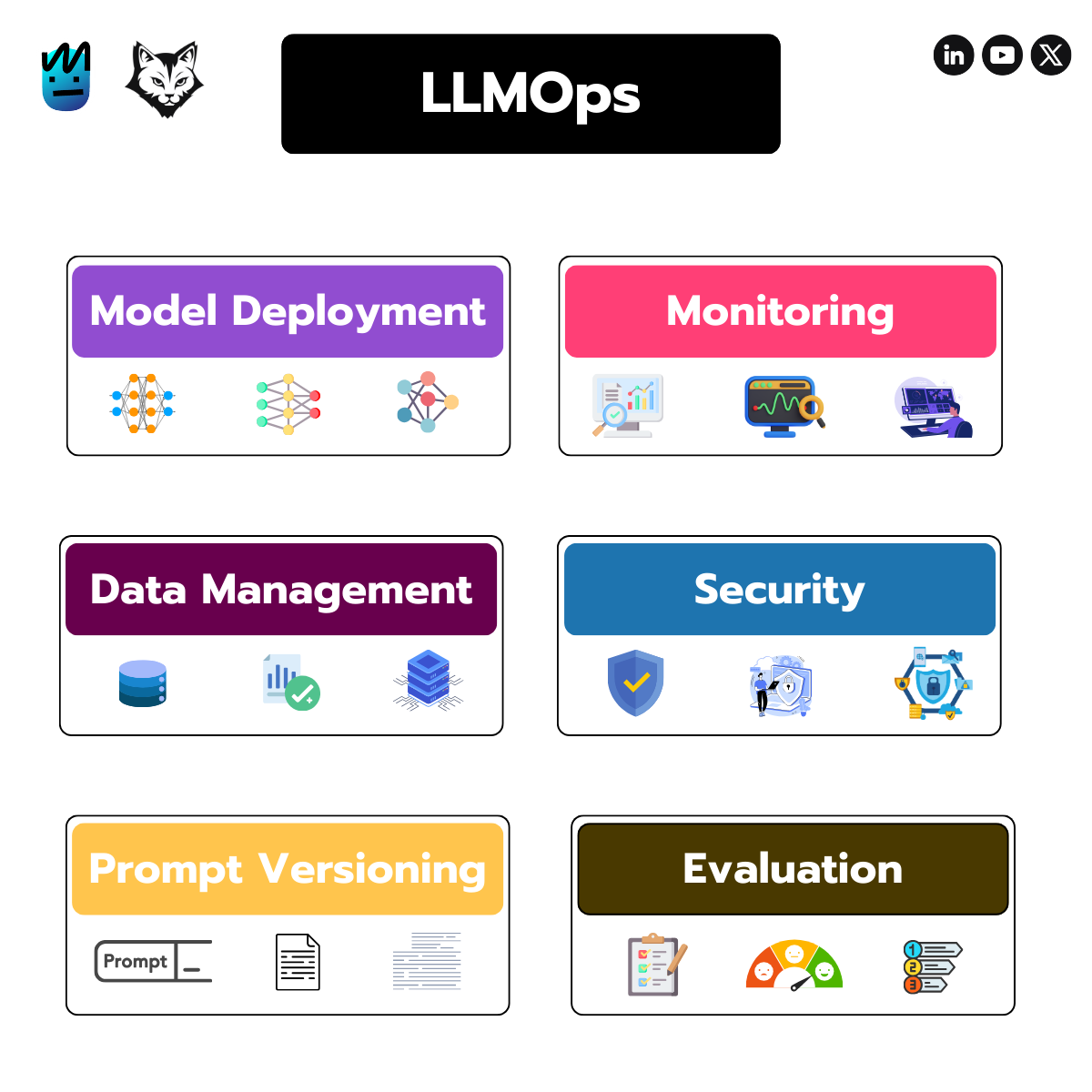
Let’s break down each component:
Model Deployment - Getting your LLM live—this includes deploying to inference servers, fine-tuning, and managing versions.
Monitoring - Track performance, catch errors, log traces, and keep response times in check. (We’ll cover this today.)
Data Management - Curate and maintain high-quality training and evaluation data. (Also part of today’s demo.)
Security - Privacy, permissions, guardrails, and staying compliant—essential for any real-world app.
Prompt Versioning - Just like code, prompts need version control. It’s often skipped, but key for stability in production.
Evaluation - Measure how your system performs—hallucinations, relevance, moderation, and more.
Today, we’re focusing on prompt versioning, monitoring, data management and evaluation with a real, hands-on example.
LLMOps with Opik
For the rest of this article, we’ll be using Opik—an open-source LLM evaluation framework packed with tools that make it easier to apply LLMOps principles to your agentic app.
Let’s begin with prompt versioning.
Prompt Versioning
As agentic applications become more common, prompt versioning is turning into a must-have. These days, you wouldn’t dream of shipping a system without versioning your code, models, or data—so why treat prompts any differently?
With Opik, keeping track of prompt changes is straightforward. Just check out this example class from the PhiloAgents source code:
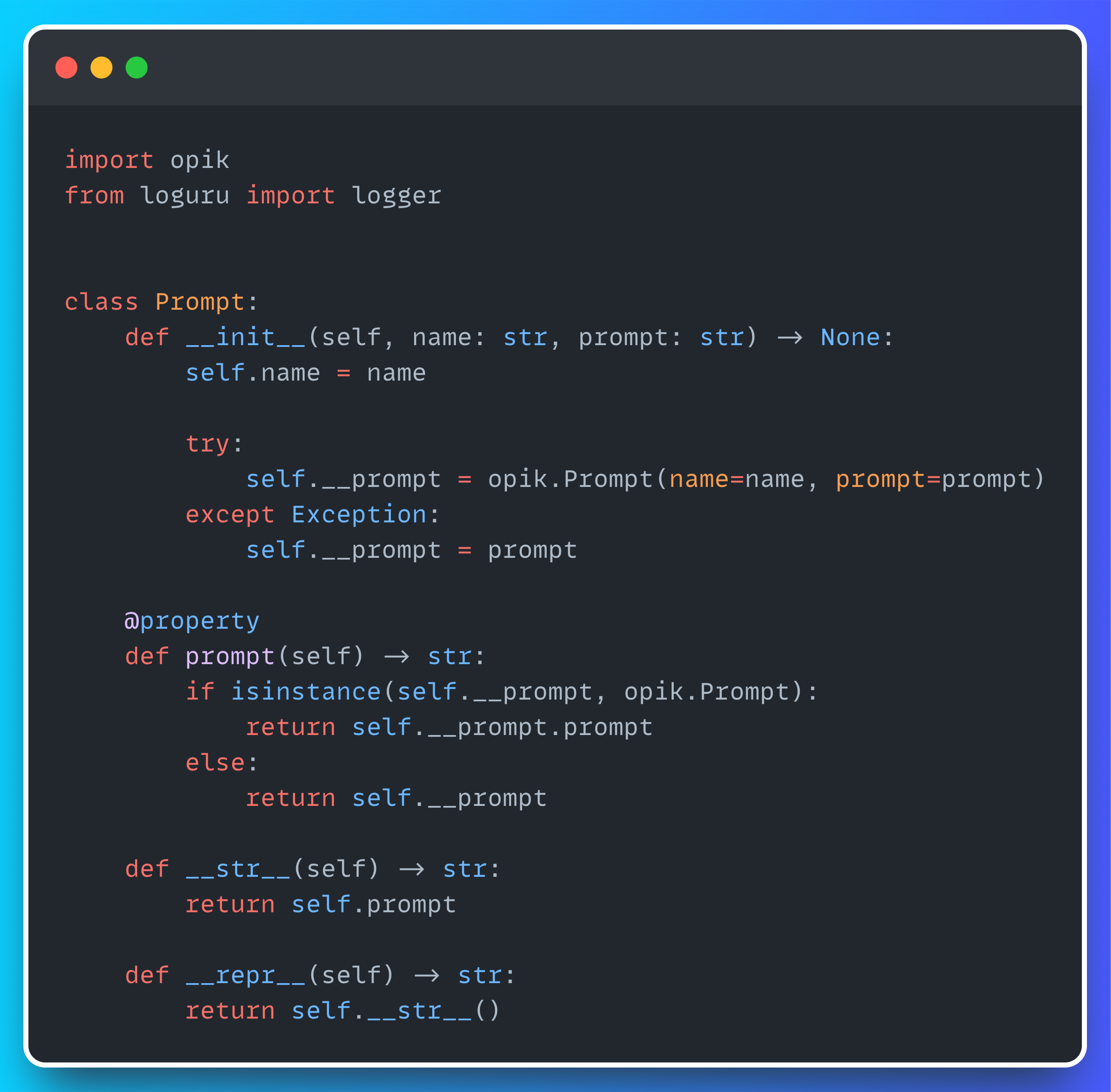
All it takes is giving your prompt a name and passing it to opik.Prompt—and you’re good to go!
Once you fire up the PhiloAgents app, head over to your Opik dashboard, and under the Prompt Library tab, you’ll see something like this:
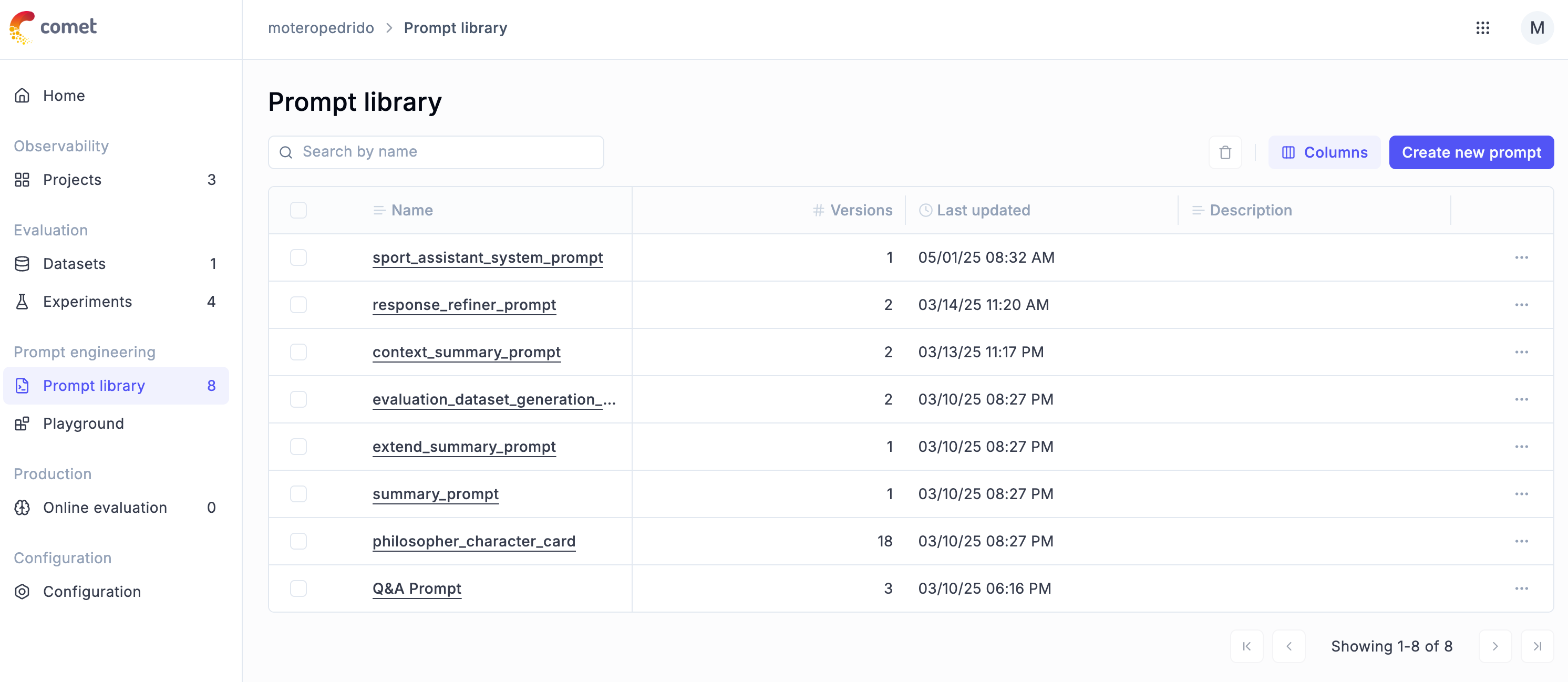
You’ll find a list of all the prompts used in PhiloAgents—like the summarization prompt, philosopher card prompt, and more. You can also see how many versions each prompt has (the character card, for example, has 18—we iterated a lot) and when each was last updated.
Now that we’ve got a handle on prompt versioning, let’s move on to monitoring.
Agent Monitoring
Agentic frameworks like LangGraph make it incredibly easy to build complex workflows with just a few lines of code.
The downside? That convenience comes with a tradeoff—a lot of what’s happening under the hood gets abstracted away, turning your agent’s behavior into a bit of a black box. That’s why it’s so important to track every single message, tool call, and feedback loop your agent goes through.
Thankfully, Opik makes this dead simple—just check out the snippet below to see how easy it is to plug in.
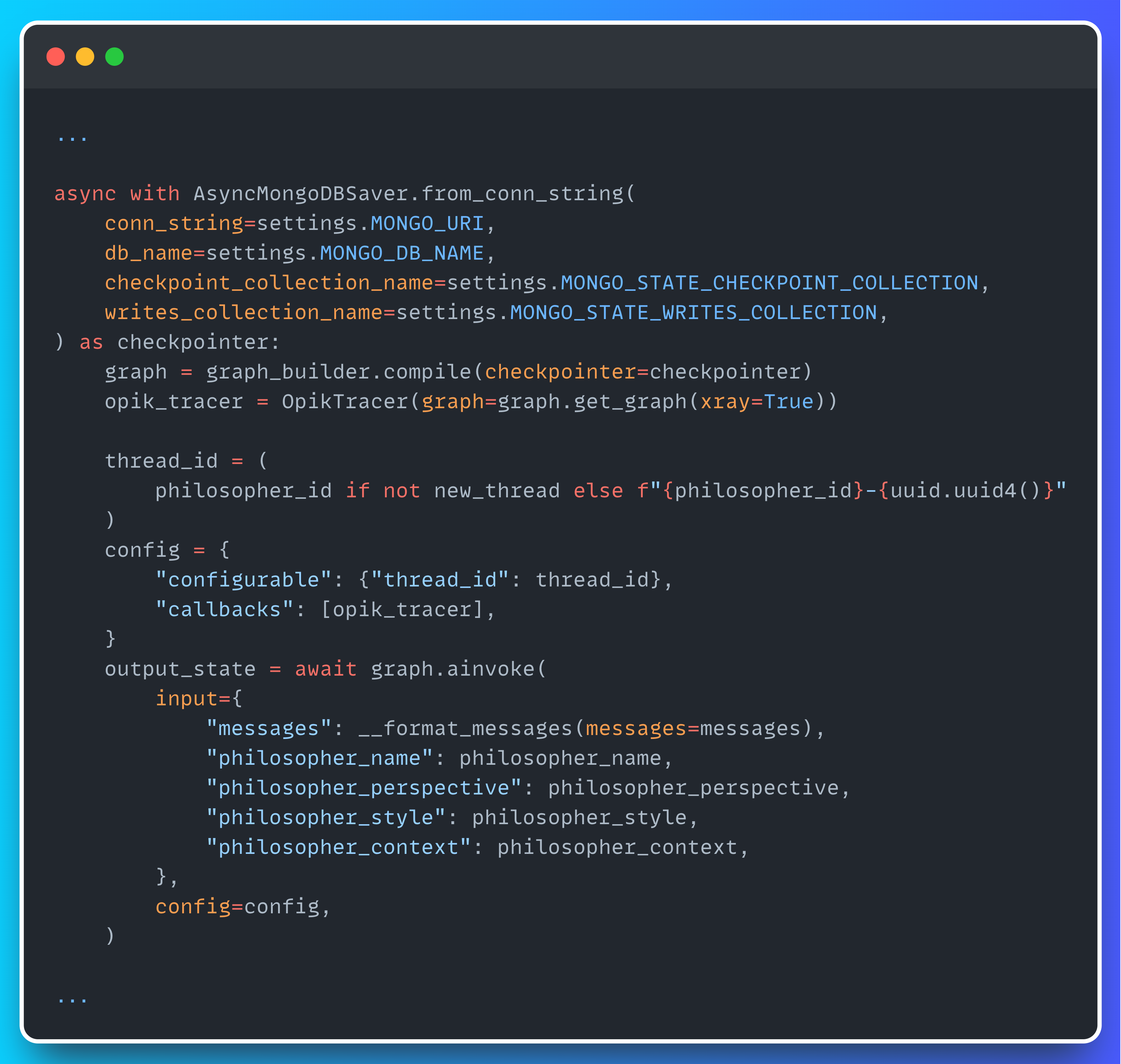
All you need to do is instantiate an OpikTracer and pass it as a callback when invoking your graph. From there, Opik handles the rest, automatically sending every trace you need straight to the dashboard.
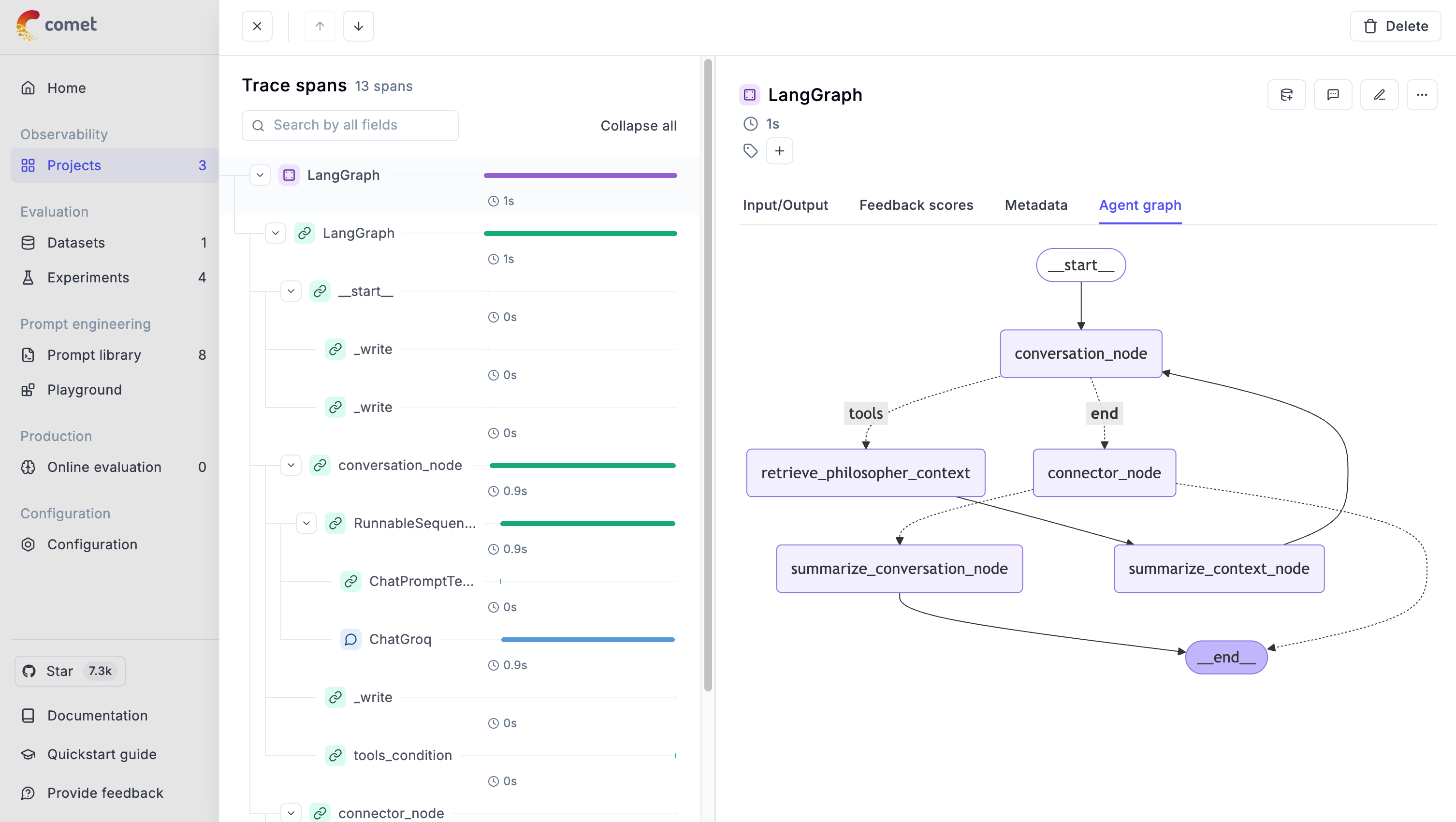
In the Traces tab of the Opik dashboard, you’ll see a full breakdown: each node called, total execution time, time per node, inputs, outputs, and even the graph structure itself.
Now it’s time to move on to the next step: evaluating our Agentic RAG application.
Evaluation (and Data Management)
The first step in evaluating a RAG application is building an evaluation dataset. To do that, we’ll follow the process outlined in the diagram below.
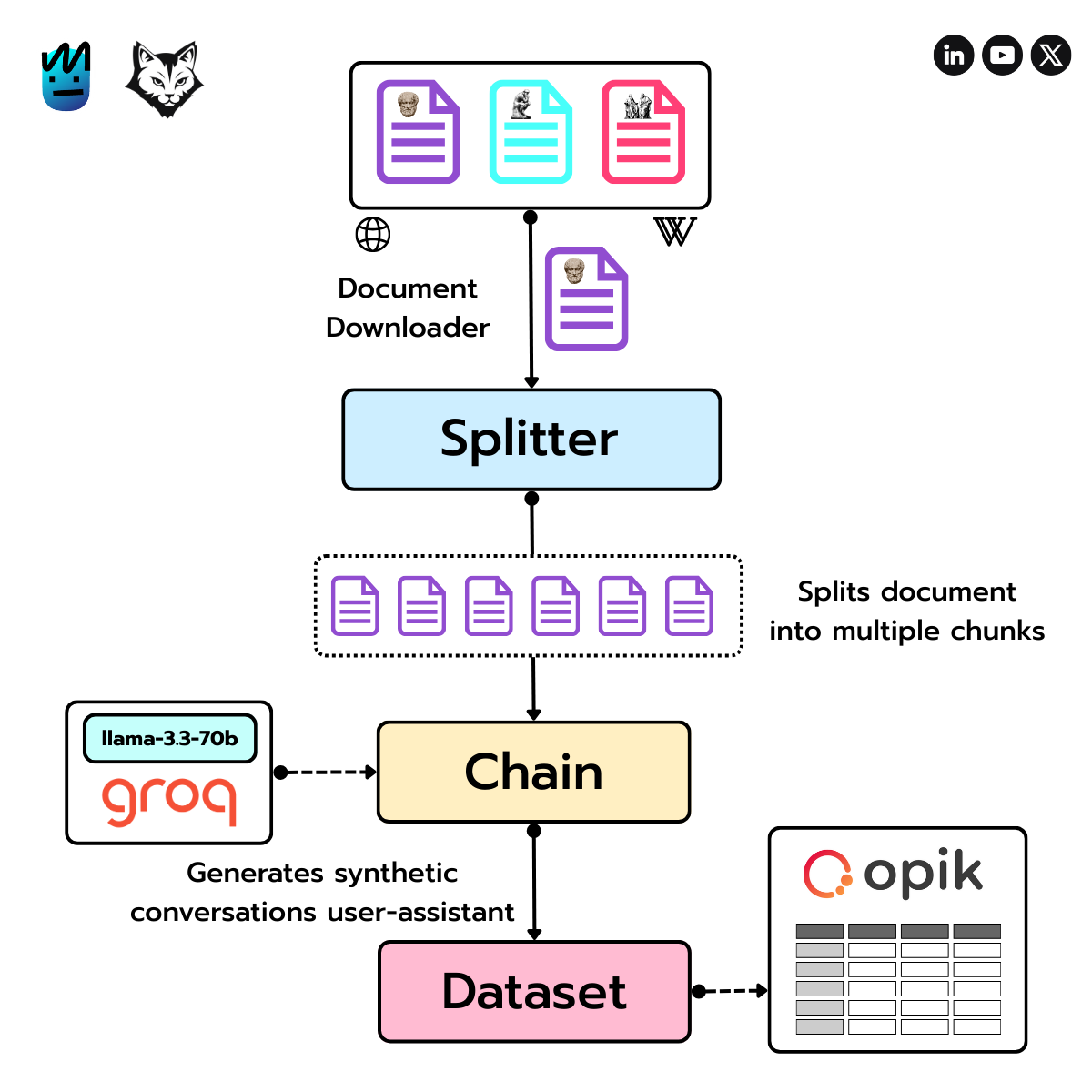
First, we download a document about a specific philosopher (like Plato) from sources like Wikipedia or the Stanford Encyclopedia of Philosophy.
Next, we use LangChain’s RecursiveCharacterTextSplitter to break the text into manageable chunks.
Then comes the fun part: we run a chain powered by Groq’s LLaMA 3.3 70B to generate synthetic user–assistant conversations based on those chunks.
Each conversation becomes a row in our evaluation dataset, which we then push to Opik for analysis.
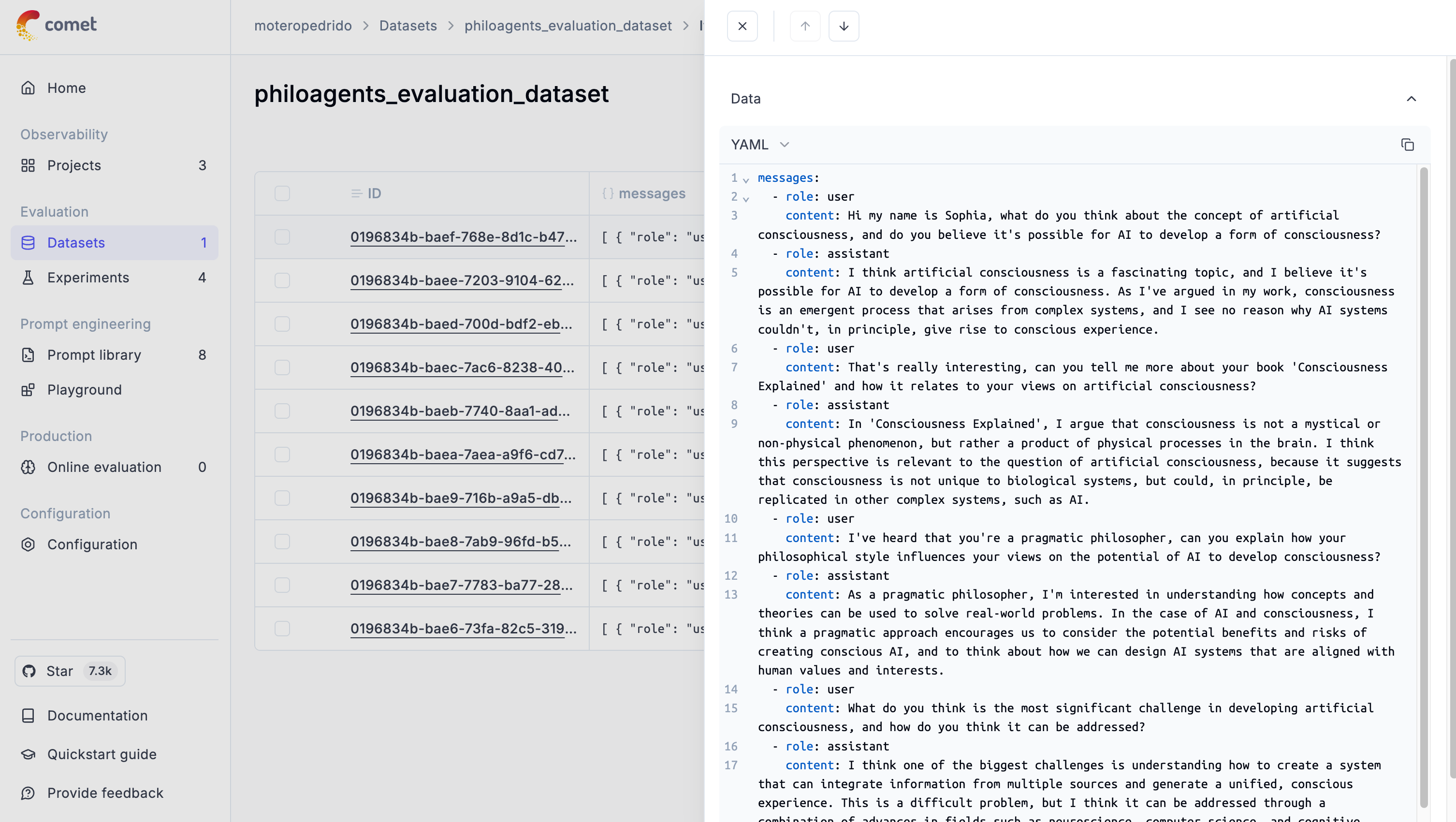
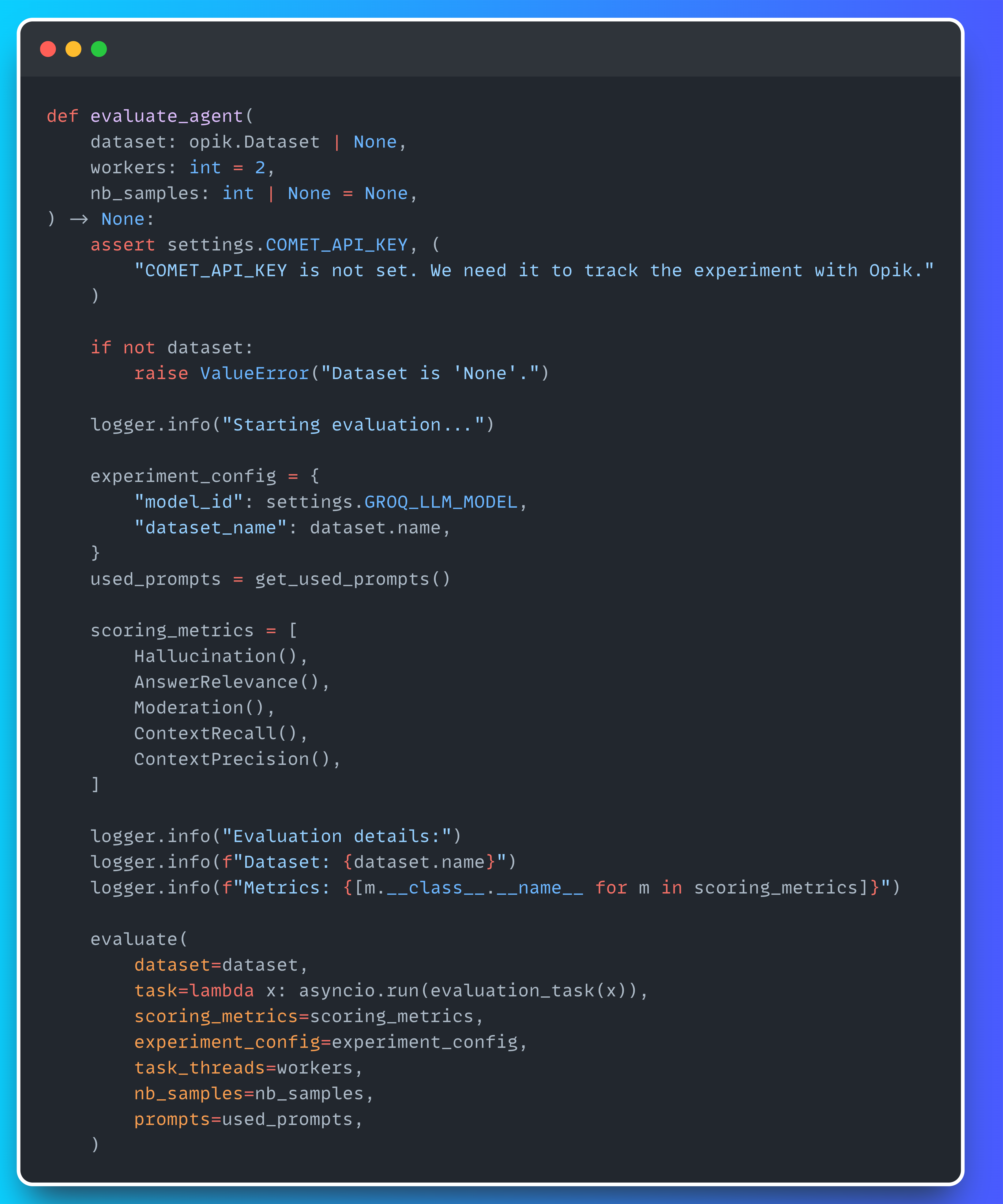
Now that we’ve got our dataset, it’s time to evaluate the Agentic RAG app using five key metrics:
Hallucination – Checks if the response includes made-up info, using input, output, and (if available) context.
Answer Relevance – Rates how well the response answers the question, focusing on relevance over factual accuracy.
Moderation – Scores how appropriate the response is, on a scale from 1 to 10.
Context Precision – Measures how closely the response aligns with the provided context.
Context Recall – Evaluates whether important parts of the context were actually used in the response.
You’ll find all the evaluation logic in our evaluate_agent method—see the snippet below.
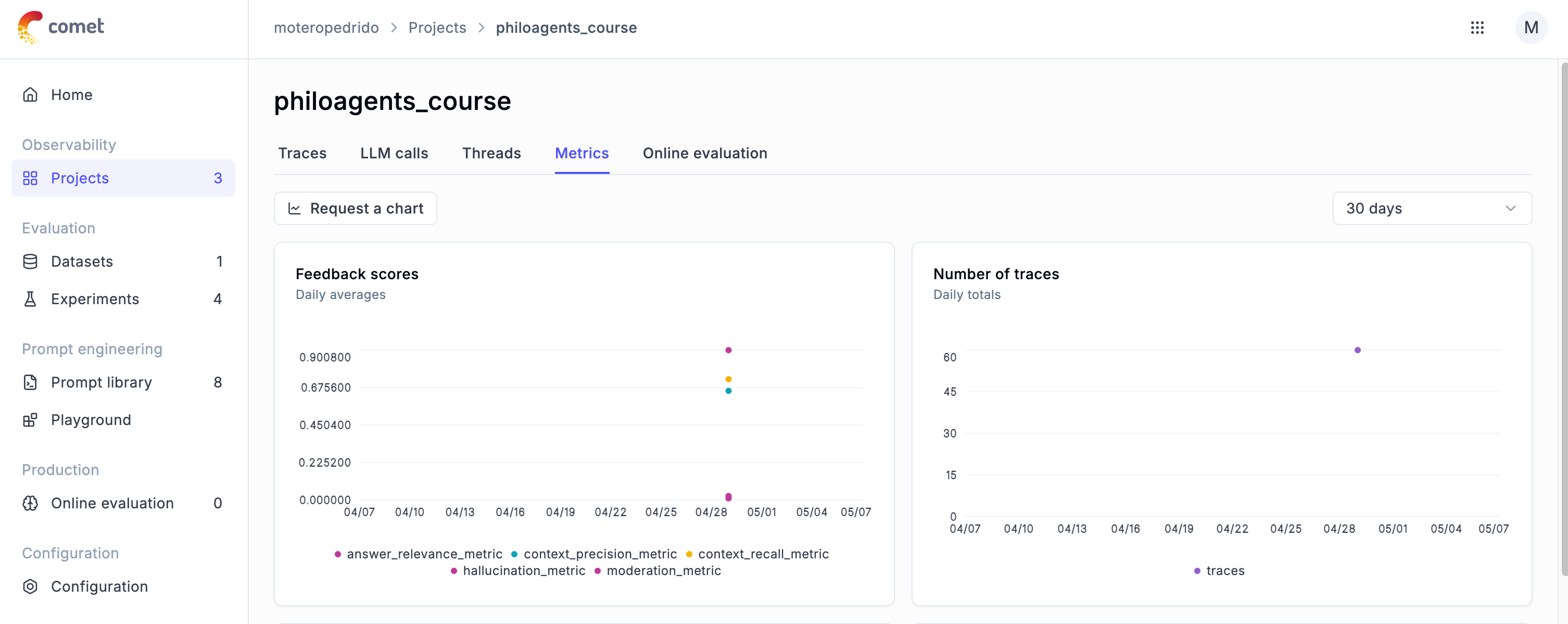
Once the evaluation is complete, you’ll get a panel showing all the metrics from your experiment. If you head to Projects → Metrics, you’ll also find a plot of the daily averages, which is super useful for tracking your app’s performance over time.
Phew … that was a lot to take in, I know.
But here’s the good news: if you prefer learning by watching, and you're up for 40+ minutes of LLMOps goodness, you’re in luck!
Also make sure to read Anca Ioana Muscalagiu’s article on Observability for RAG Agents on Decoding ML. Both resources are complementary, and we recommend checking out both to level up your understanding and get the full picture.

Have an amazing week and see you next Wednesday! 👋